
After an outage, pay attention to the restart.
For HVAC power surge diagnosis, Coastal Carolina Comfort can help you plan a diagnostic visit. An HVAC system that stops after a storm may have a power, control or equipment fault. Timing alone does not prove surge damage. Record what happened, avoid repeated restart attempts if damage is suspected and have the system inspected when normal operation does not return.
First published 2025-08-10 · Content revised September 7, 2026 · About 13 minutes to read
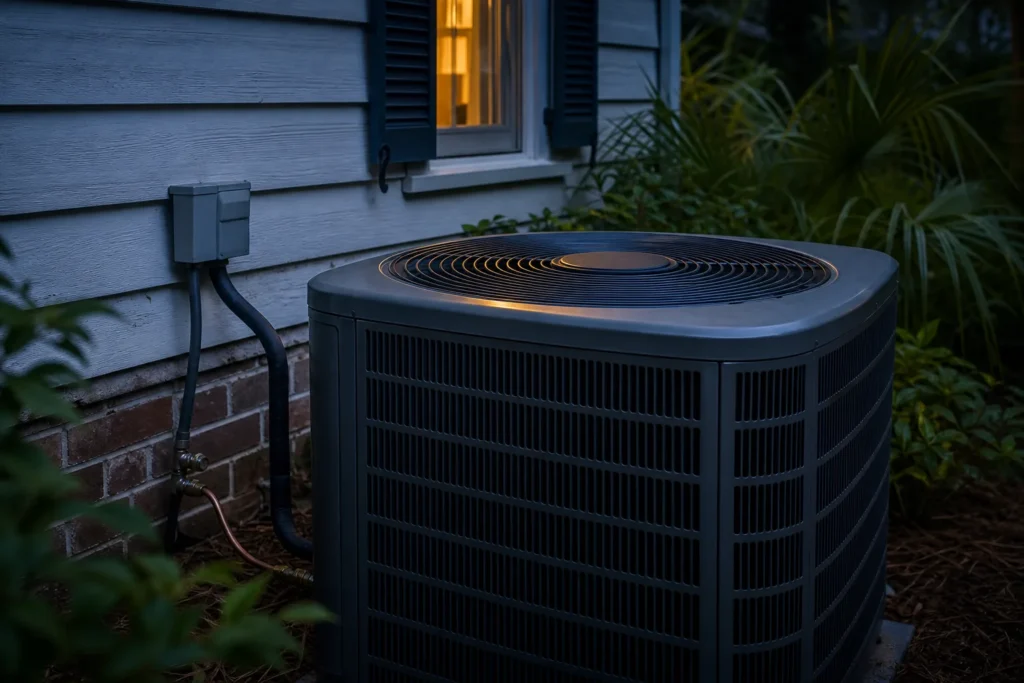
Outdoor and indoor equipment can respond differently after a power interruption.
VisionPRO’s model-specific “Wait” interval; use your own manual. Resideo.
ESFI distinguishes service/panel and point-of-use surge protection. Electrical Safety Foundation.
ENERGY STAR recommends preseason professional HVAC checkups. ENERGY STAR.
ENERGY STAR’s filter inspection and care reminder. ENERGY STAR.
An outage and a voltage surge are different electrical events. They can occur around the same storm, but a diagnosis must establish what affected the equipment.
Reference: Electrical Safety Foundation.
Supply stops, and the system may need its normal restart delay when power returns. Follow the equipment instructions instead of repeatedly changing settings.
Reference: Resideo.
A new burning smell, unusual buzzing, repeated shutdown or failure to restart calls for inspection. A technician must test the equipment to identify the cause.
Keep the response simple. Useful observations help; repeated resets do not establish whether a component is safe.
Record when power went out and when the HVAC problem began.
Avoid wet equipment, exposed wiring, sparks or damaged cabinets.
If conditions are safe, follow the manufacturer’s normal restart guidance.
If the fault persists or damage is suspected, stop testing and request service.
A power or control problem can affect the entire system. Record whether the thermostat display is blank and whether other household circuits have power.
Reference: Resideo.
Indoor airflow does not establish that the outdoor cooling equipment is operating correctly. Note the difference without opening either unit.
Reference: U.S. Department of Energy.
Repeated trips or shutdowns need a diagnosis. Do not keep resetting a breaker or bypassing a protective device to force the system to run.
Write down the error code and describe when the sound occurs. If there is smoke or fire, leave the area and call emergency services.
A qualified technician can check the power supply, controls and affected components to determine why the system will not operate. Surge protection should be selected for the equipment and coordinated with the home’s electrical protection by the appropriate professional.
Reference: ENERGY STAR; Electrical Safety Foundation.
Reference: Electrical Safety Foundation.
The Electrical Safety Foundation distinguishes a surge, which is a brief overvoltage event, from a loss of power. A system that stops during a storm has a known timeline, but the timeline alone does not identify the failed component. Tell the service team what happened before and after power returned without labeling the damage yourself. Source: Electrical Safety Foundation.
Write down the approximate outage time, when household power returned and what the HVAC system did afterward. Include a blank thermostat, an alert, a fan that runs without cooling or a system that remains silent. If other appliances have problems, mention them. Your account can help separate an HVAC complaint from a wider household electrical concern.
Treat a visible hazard as the first priority. Keep people away from wet, damaged or exposed electrical equipment. Do not remove an HVAC panel, handle a disconnect or approach fallen wiring to collect details. If there is smoke, fire or an immediate electrical danger, leave the affected area and contact emergency services from a safe location.
Coastal Carolina Comfort’s diagnostic process begins with basic system checks before recommending a repair. For a storm-related complaint, ask the technician to explain the actual electrical or equipment finding. A repair recommendation should follow the inspection. Your description of the storm remains useful context, but it should not substitute for evidence of the fault.
Certain thermostats delay compressor operation to protect the equipment. Resideo’s cited VisionPRO guide specifies five minutes when that model displays “Wait.” Read the instructions for your own control and give that delay time to finish. This example is not a direction to reset every system or a promise that cooling will resume after five minutes. Source: Resideo.
Record the exact message and whether it changes. Avoid repeated switching between modes, repeated breaker resets or an attempt to force a cooling call. If the specified delay passes without the expected response, share that with Coastal Carolina Comfort. The next useful step is a diagnosis of the system’s response, not another guess at a reset sequence.
If household lights or other equipment remain affected, report that broader condition to the appropriate utility or electrical professional. Describe observations from a safe location. An HVAC visit can address the heating and cooling equipment, but the service team needs to know when the complaint extends beyond it. Ask Coastal Carolina Comfort which trade should investigate first.
Keep utility outage messages and the date of any electrical visit with your HVAC notes. Do not assume a working lamp proves that every equipment supply is correct. Leave supply testing and electrical-panel inspection to qualified professionals. A clear record of who inspected what prevents you from asking one contractor to rely on an uncertain verbal summary.
ESFI describes surge protective devices as protection against transient voltage events. Its guidance distinguishes protection at the electrical service or panel from point-of-use devices. Ask a qualified professional which protection suits the equipment and the installation. An ordinary power strip should not be treated as a substitute for a properly selected HVAC electrical-protection arrangement. Source: Electrical Safety Foundation.
If protection is already installed, record the product name and indicator status only if they are visible without opening equipment. Find the installation paperwork if available. Ask the inspector whether the device is operating as intended and whether replacement or additional work is recommended. Do not open it or try to prove protection by creating a power interruption.
Keep two questions separate in the service discussion: what needs repair now, and what protection would be useful afterward. The first concerns the present fault; the second concerns a proposed improvement. Request the scope and price for each. This lets you consider the protection proposal without confusing it with the work needed to restore heating or cooling.
Ask what the proposed product covers, what it does not cover, and who is responsible for installation. If a warranty is part of the proposal, read the actual terms. Do not assume an equipment-protection product pays for every future failure. Coastal Carolina Comfort can discuss the HVAC work while an electrical professional addresses any required household electrical work.
Use a short sequence rather than a diagnosis: “Power returned; the thermostat lit up; the fan started; the rooms did not cool.” This is a reporting example, not a completed customer job. Include only the stages you observed in your home. If you could not tell whether an outdoor unit was operating, say that instead of guessing.
ENERGY STAR’s maintenance checklist includes checking how equipment starts, operates and shuts off, along with thermostat settings and electrical connections. Those categories support a system-level inspection. The service team may need to examine more than the component that appears inactive. Ask Coastal Carolina Comfort which observed behavior led to each test and what the results establish. Source: ENERGY STAR.
A noise description should include when it occurs and where you heard it from a safe location. “A new sound began at startup near the indoor cabinet” is more useful than choosing a motor name. Do not approach a damaged outdoor unit to make a recording. Existing photos and a written description are enough to begin the conversation.
For a blank display, read our thermostat troubleshooting guide. If the fan operates but room airflow is weak, use the AC airflow guide. Mention indoor air handler symptoms as a separate observation. More than one concern can appear after the same event.
Share the symptom and ask about the next available diagnostic visit for your Charleston home.
Ask Coastal Carolina Comfort for a written explanation of the diagnosed fault and the work proposed. Keep the equipment model, service date, photographs supplied by the technician and invoice in one place. If you plan to contact an insurer, ask the insurer what documentation it requires. The HVAC diagnosis should describe the equipment findings without promising a coverage decision.
Distinguish a component that failed from a cause that has been demonstrated. Ask whether the technician can establish surge damage or only report that a component no longer operates. Preserve that distinction in any later account of the event. An accurate record can include uncertainty; it should not convert “stopped after the storm” into a confirmed cause without evidence.
Coastal Carolina Comfort’s service process includes showing the homeowner photographs and getting approval before repair work. Review those findings and the proposed scope before authorizing a replacement. Ask what will be checked once the work is complete and whether the system has any separate unresolved issue. Keep that explanation with your storm timeline.
When arranging service, give your address, a contact number, the outage timeline and the current equipment response. Mention any access problem, visible water or household electrical concern. Ask Coastal Carolina Comfort about availability and the diagnostic charge. Leave unsafe equipment areas alone while waiting, and follow the guidance of emergency responders, the utility and the professionals handling the incident.
Our Charleston HVAC diagnostic guide explains the broader repair process. For a cooling complaint, use Charleston AC repair. If the problem occurs in heating mode, see Charleston heating repair or heat pump repair and state the operating mode when you call.
ENERGY STAR recommends annual preseason professional maintenance. Once the present fault has been addressed, ask about a maintenance plan suited to your equipment and its instructions. Routine inspection and an electrical-protection discussion serve different purposes. Neither should be presented as proof that a home will never experience another outage, electrical event or equipment failure. Source: ENERGY STAR.
Keep this note with your equipment information. Record uncertainty rather than guessing at a component or cause.
Billy Webb, owner
Author profile
At Coastal Carolina Comfort, we start with the basic checks before recommending a repair: the filter, coils, drain line and electrical connections. Our service process includes showing you photographs of findings and getting your approval before repair work.
Bring the symptom notes from this guide to the visit. Ask how the findings connect to the problem you reported and what the proposed correction covers.
Review the diagnosis and proposed work before you authorize a repair. Keep the explanation and any photographs supplied with your service records.
For the service conversation, visit Charleston AC repair. Bring your symptom notes so we can discuss the next available diagnostic visit. For heating-mode concerns, see Charleston heating repair.
No. The timing is relevant, but an outage, control fault or unrelated equipment problem may also explain the failure. Inspection and testing are needed. Discuss your observations with Coastal Carolina Comfort before authorizing a repair.
Reference: Electrical Safety Foundation.
No. A breaker that trips again may be responding to a fault. Stop resetting it and have the cause investigated by a qualified professional. Discuss your observations with Coastal Carolina Comfort before authorizing a repair.
Reference: Resideo.
No. Protection depends on the device, installation and event. It is one part of electrical protection, not a guarantee against all equipment damage. Discuss your observations with Coastal Carolina Comfort before authorizing a repair.
Reference: Electrical Safety Foundation.
Keep the outage timeline, equipment information, service findings and invoice together. Ask Coastal Carolina Comfort to distinguish a confirmed fault from an uncertain cause. Your insurer can tell you which documents it requires; a repair visit does not establish coverage.
Ask for the present repair and any protection proposal as separate scopes. ESFI explains that surge protective devices have different installation roles. Coastal Carolina Comfort can discuss the HVAC finding while a qualified electrical professional addresses the appropriate electrical protection.
Reference: Electrical Safety Foundation.
By Billy Webb, owner. Coastal Carolina Comfort publishes this guide for homeowners using our Charleston HVAC services. Company-process guidance uses CCC’s documented diagnostic workflow.
This guide explains observable symptoms. It does not replace equipment-specific instructions or an on-site diagnosis.
Read the equipment guidance and source notes below. This article explains observations and service decisions; it does not replace the instructions for your installed equipment.
ENERGY STAR. (n.d.). Maintenance Checklist. Accessed September 7, 2026.
U.S. Department of Energy. (n.d.). Home Cooling 101. Accessed September 7, 2026.
Electrical Safety Foundation. (n.d.). Surge Protective Devices Awareness. Accessed September 7, 2026.
Resideo. (n.d.). VisionPRO Series with RedLINK: User Guide (69-2761EFS). Accessed September 7, 2026.
Electrical Safety Foundation. (n.d.). Surge Protective Devices. Accessed September 7, 2026.
Company-process statements use Coastal Carolina Comfort’s approved diagnostic guidance. This guide includes original homeowner observation tools; examples do not describe actual customer jobs.
Read the symptom checks and service questions for AC thermostat troubleshooting.
Read the symptom checks and service questions for AC drain pan overflow.
Read the symptom checks and service questions for Air handler problems.
Tell Coastal Carolina Comfort when power was interrupted and what the system does now. Ask about a diagnostic visit for your Charleston home.